
Product
SEPM SIA 405 Interface
Import / Export — Made Simple
Seamless import of INTERLIS 1 and INTERLIS 2.3 data in the SIA 405 model into Smallworld — and export back to INTERLIS 1, INTERLIS 2.3 and DXF.
- Direction
- Import and export
- Formats
- INTERLIS 1 / 2.3 / DXF
- Standard
- SIA 405
- GIS
- Smallworld GIS
Import
Import from SIA 405 to Smallworld
The SEPM SIA 405 import interface brings INTERLIS 1 and INTERLIS 2.3 data that follows the SIA 405 data model into Smallworld.
- 01
Transfer file
INTERLIS 1 or INTERLIS 2.3 data in the SIA 405 model.
- 02
SEPM SIA 405 Import
The interface reads the transfer file into the SIA 405 database.
- 03
Smallworld GIS
The network is available in Smallworld with the specified symbols.
The advantages
A complete import — with a clean undo path
- 01
Import of SIA 405 data
SIA 405 data is imported into the SEPM X-Database SIA 405.
- 02
Export of SIA 405 data
Data can be exported from the SEPM X-Database SIA 405 back to INTERLIS.
- 03
X-Translator History Object
An X-Translator History Object is created for each import. When the history is deleted, the associated imported objects are also deleted.
- 04
Accurate symbols
The data is presented exactly in accordance with the specifications of the 2015/2016 leaflets.
- 05
Import into other formats
An import into any licensed SEPM X-Translator target format is possible.
Specifications
Supported SIA models for import
Import formats are INTERLIS 1 and INTERLIS 2.3.
SIA 1998 LK
INTERLIS 1 / 2.3
SIA 2004 LK
INTERLIS 1
SIA 2004 WI
INTERLIS 1
SIA 2008 Abwasser
INTERLIS 2.3
SIA 2012 LKMAP
INTERLIS 2.3
SIA 2015
INTERLIS 2.3
Export
Export from Smallworld to SIA 405
The SEPM SIA 405 export interface writes Smallworld application data to SIA 405 models in INTERLIS 1, INTERLIS 2.3 and DXF. Where possible, the latest SIA models and the latest specialist-application versions are supported.
- 01
Smallworld GIS
The operational network is maintained in the specialist application.
- 02
SEPM SIA 405 Export
Preconfigured mappings write the selected data to a transfer file.
- 03
Transfer file
INTERLIS 1, INTERLIS 2.3 or DXF, ready for delivery.
The advantages
Configured once — delivered in a few clicks
- 01
Support for application data models
Preconfigured mappings of the application data models onto the SIA models are available.
- 02
Pre-configured data export
The SEPM Simple GUI allows a smooth, efficient data export in just a few clicks.
- 03
Customisations
Adjustments can be made to customer requirements — extra object classes or attributes, or excluding certain data — without friction.
- 04
Proven data formats
The export is based on the SEPM X-Translator INTERLIS 1 / INTERLIS 2.3 and DWG/DXF formats.
- 05
Configuration of batch export
The configuration for a batch export to generate operators per community is integrated.
- 06
Export to LV03 or LV95
With the X-Translator Add-On, export to LV03 or LV95 using the Swisstopo Fineltra algorithm is also possible.
Specifications
Supported SIA models for export
Export formats are INTERLIS 1, INTERLIS 2.3 and DXF.
SIA 1998 LK (INTERLIS 1 & 2.3)
NRM Gas, NRM Water, NRM Heating and NIS Strom.
SIA 2004 LK (INTERLIS 1)
NRM Gas, NRM Water and NRM Heating.
SIA 2004 WI (INTERLIS 1)
NRM Gas and NRM Water.
SIA 2004 LK (DXF)
NIS Strom.
SIA LKMap (INTERLIS 2.3)
2012 LV03 and 2015 LV95 — NRM Gas, Water, Wastewater, Heating, NIS Strom and Physical Network Inventory PNI.
SIA Abwasser 2008 LK (INTERLIS 2.3)
NRM Wastewater.
Applications
What the export is used for
- 01
Data delivery
Delivery to authorities, engineering offices and other stakeholders.
- 02
Web-GIS
Import into Web-GIS — for example a municipality or community GIS.
- 03
SEPM X-Database SIA 405
Import into the SEPM X-Database SIA 405.
In practice
SIA 405 data imported into Smallworld (electricity, water, gas)
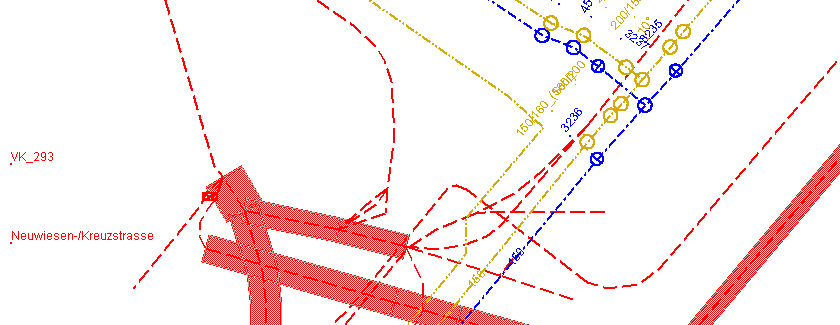
The transfer file is read into Smallworld so electricity, water and gas networks follow the SIA 405 model — with the symbols specified in the leaflets.
Related case studies

Geodata Export
Pipeline geodata for every audience — from Google Earth to federal INTERLIS submissions
Read the full case study
AutoCAD Export
One reliable Smallworld export behind every AutoCAD construction plan
Read the full case study
Ready to exchange SIA 405 data?
Talk to SEPM